
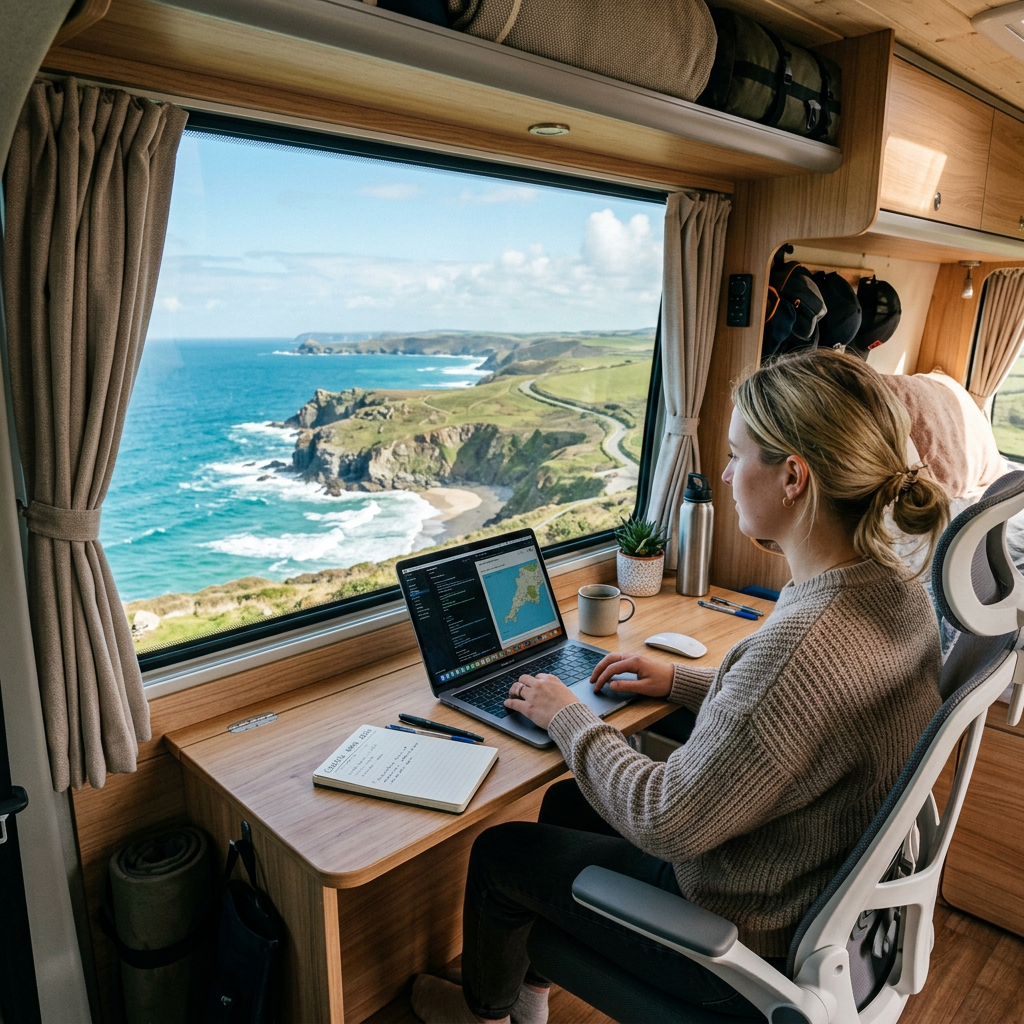
Remote working has transformed the way many people travel.
Instead of waiting for annual leave or long weekends, increasing numbers of professionals now combine work and travel by operating from campervans, motorhomes and converted vans. The ability to earn an income while exploring new destinations has helped make vanlife more accessible than ever.
However, successful remote working requires more than simply bringing a laptop on the road.
Reliable connectivity, dependable power systems, comfortable workspaces, and effective routines all play a critical role.
This guide explains how to create a practical remote working setup that supports both productivity and travel.
For a broader overview of staying connected while travelling, see Connectivity & Remote Working from a Campervan.
Why More People Are Working from Campervans
Several factors have contributed to the growth of remote working.
These include:
- Flexible employment arrangements
- Growth of online businesses
- Freelance opportunities
- Digital nomad lifestyles
- Improved internet connectivity
- Better mobile technology
For many people, campervan travel now offers an alternative way of living and working rather than simply a holiday experience.
Is Remote Working from a Campervan Realistic?
For many professions, the answer is yes.
Common examples include:
- Software development
- Marketing
- Writing
- Graphic design
- Consulting
- Online education
- E-commerce
- Administration
The key requirement is building a reliable environment that supports professional responsibilities.
Reliable Internet Comes First
Internet connectivity is often the single most important factor affecting remote work success.
Without reliable internet access:
- Meetings become difficult
- Deadlines may be missed
- Communication suffers
- Productivity declines
Most remote workers rely on:
- Mobile routers
- Multiple SIM cards
- External antennas
- Satellite backup systems
For technical setup advice, see:
Why Backup Connectivity Matters
Professional work often requires dependable access.
Many experienced remote workers use:
Primary Connection
Mobile router.
Secondary Connection
Alternative network SIM.
Emergency Backup
Smartphone hotspot or satellite internet.
Redundancy reduces risk when travelling through areas with inconsistent coverage.
Power Management Is Equally Important
A fast internet connection is useless if your batteries are flat.
Remote working increases electrical demand considerably.
Common power consumers include:
- Laptops
- Monitors
- Routers
- Mobile devices
- Lighting
- Charging equipment
Many remote workers use significantly more energy than recreational travellers.
Related guides include:
- Campervan Electrical & Solar Systems
- Vanlife Energy Calculator
- How Much Battery Capacity Do You Actually Need?
- Full-Time Vanlife Energy Guide
Typical Daily Energy Consumption
A remote worker may use:
| Device | Approximate Daily Consumption |
| Laptop | 300–800Wh |
| Router | 50–150Wh |
| Phone Charging | 20–50Wh |
| Lighting | 30–100Wh |
| Monitor | 100–300Wh |
Combined consumption often exceeds 1,000Wh per day.
Some digital nomads consume considerably more.
Choosing a Suitable Workspace
Workspace quality directly affects comfort and productivity.
Important considerations include:
Seating
Proper support reduces fatigue.
Desk Space
Adequate room improves workflow.
Lighting
Natural light is often preferable.
Ventilation
Maintains comfort during long work sessions.
Noise Levels
Quiet environments improve concentration.
For detailed workspace advice, see the upcoming post on Creating a Productive Campervan Workspace.
Ergonomics Matter More Than Most People Expect
Many new remote workers focus heavily on technology while overlooking comfort.
Poor ergonomics can contribute to:
- Back pain
- Neck strain
- Reduced concentration
- Lower productivity
Simple improvements often deliver significant benefits.
Examples include:
- Adjustable laptop stands
- External keyboards
- Proper seating
- Monitor positioning
Planning Your Travel Around Work
One of the biggest adjustments involves balancing movement with productivity.
Many successful travellers adopt routines such as:
Work Days
Remain stationary.
Travel Days
Move between locations.
Hybrid Days
Work in the morning and travel later.
Establishing structure often improves both work quality and travel enjoyment.
Selecting Work-Friendly Locations
When choosing overnight stops, consider:
Mobile Coverage
Strong internet remains essential.
Power Availability
Long workdays increase energy demand.
Noise Levels
Busy locations may affect concentration.
Weather Protection
Comfort influences productivity.
Parking Restrictions
Ensure overnight stays remain appropriate.
The best working locations are not always the most scenic.
Managing Video Calls
Video conferencing introduces additional requirements.
You will typically need:
- Stable upload speeds
- Reliable power
- Quiet surroundings
- Appropriate lighting
Before important meetings:
- Test connectivity
- Check battery levels
- Confirm backup options
- Review weather conditions
Preparation helps avoid unnecessary stress.
Working During Winter
Winter presents additional challenges.
Common issues include:
- Reduced solar generation
- Increased heating requirements
- Shorter daylight hours
- Poor weather conditions
Remote workers often require larger battery reserves and more robust charging systems.
For seasonal planning advice, see Winter Vanlife Energy Strategies.
Productivity Tips for Campervan Work
Successful remote workers often develop consistent habits.
Useful strategies include:
Maintain Regular Hours
Creates routine.
Separate Work and Leisure Time
Improves work-life balance.
Plan Connectivity in Advance
Reduces interruptions.
Keep Equipment Organised
Improves efficiency.
Build Redundancy
Avoids preventable downtime.
Consistency often matters more than perfection.
Common Remote Working Challenges
Poor Internet Coverage
Solved through planning and backup options.
Energy Shortages
Managed through proper electrical design.
Limited Workspace
Improved through thoughtful layouts.
Weather Disruptions
Require flexibility and preparation.
Isolation
Many travellers use co-working spaces, cafés and community hubs to maintain social connections.
Typical Remote Working Setups
Basic Freelancer Setup
- Laptop
- Smartphone hotspot
- 100–200Ah battery
Suitable for occasional work.
Professional Remote Worker Setup
- Laptop
- Mobile router
- Multiple SIM cards
- 200–300Ah lithium battery
- Solar charging
Suitable for daily online work.
Full-Time Digital Nomad Setup
- Multiple devices
- Advanced router
- External antennas
- Satellite backup
- 300–600Ah lithium battery
- Large solar array
Suitable for long-term location-independent work.
For long-term travel strategies, see the upcoming Digital Nomad Vanlife Guide.
Common Mistakes
Underestimating Power Requirements
Remote work increases energy consumption.
Relying on a Single Network
Coverage varies.
Working Without Backup Plans
Problems inevitably occur.
Ignoring Ergonomics
Comfort affects productivity.
Moving Too Frequently
Constant travel can reduce work efficiency.
The Future of Remote Working and Vanlife
Several developments continue to improve opportunities for remote workers.
These include:
- Expanding 5G networks
- Improved satellite internet
- Better mobile hardware
- Increased acceptance of remote work
- Growth of digital nomad communities
As technology improves, location-independent working is becoming increasingly practical.
Final Thoughts
Remote working from a campervan offers an opportunity to combine professional responsibilities with travel, freedom and flexibility.
Success depends on creating reliable systems for connectivity, power and productivity while maintaining realistic expectations about life on the road.
With careful planning, appropriate equipment and effective routines, it is entirely possible to build a sustainable work-life balance while exploring the UK and beyond.
For many travellers, remote working is no longer simply a way to fund travel; it has become the foundation of a long-term lifestyle.